
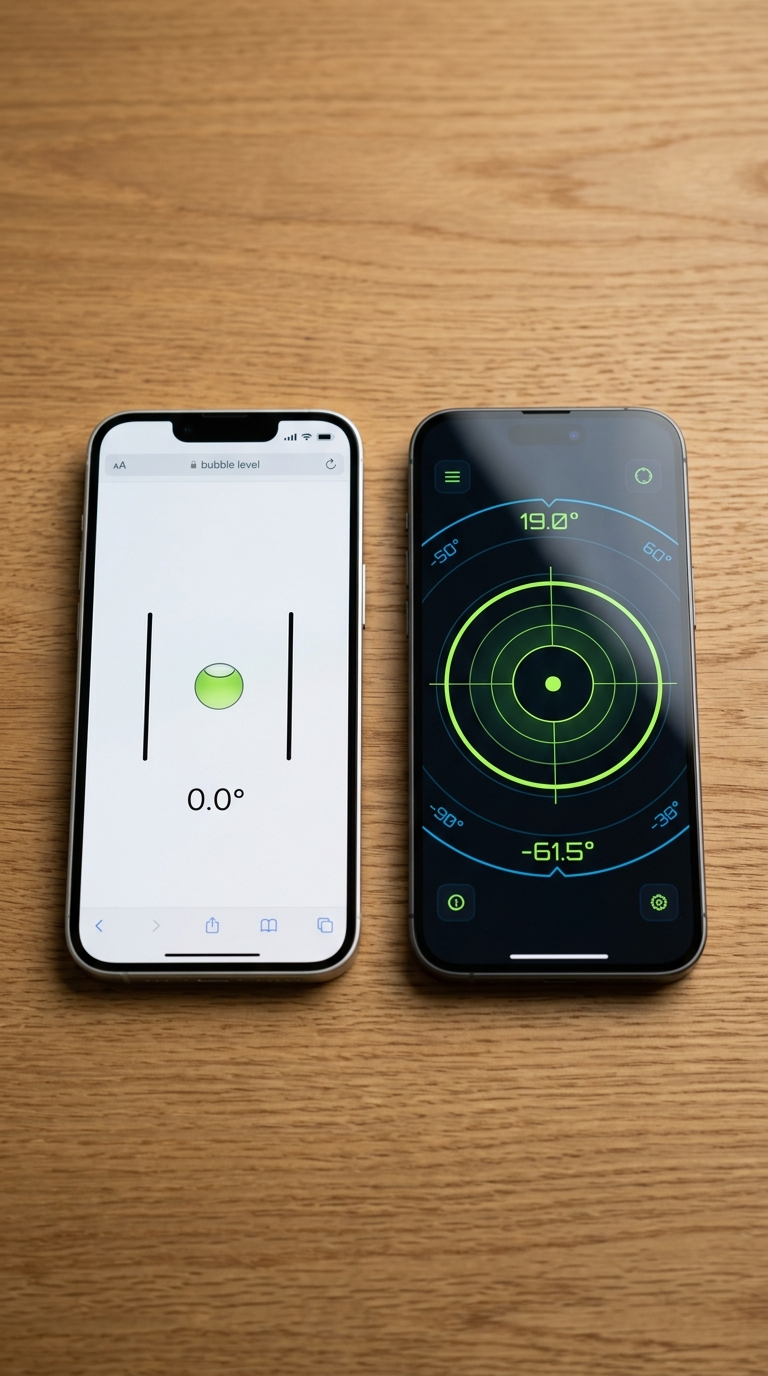
Google's bubble level is a quick, free option built into Search, but dedicated level apps offer far greater accuracy, calibration, multiple modes, and professional features. For casual use, Google works fine — for anything serious, a dedicated level app wins.
When comparing bubble level Google vs level app solutions, the core distinction comes down to depth versus convenience. Google's bubble level, accessible via a simple search on Android, is a lightweight tool ideal for quick, one-off checks. It lacks calibration, angle targeting, multiple measurement modes, and any form of haptic or audio feedback. Dedicated level apps, especially premium ones built for iOS, deliver professional-grade accuracy with features like AR camera overlays, Apple Watch integration, multi-unit support, and intelligent calibration systems. If you rely on leveling for architecture, photography, carpentry, or design work, a purpose-built level app is the clear, measurable upgrade.
Bubble Level Google vs Level App: Two Tools, One Job — But Not Equal Results
Whether you're hanging a shelf, aligning a camera rig, or checking a floor before laying tile, a level is one of those tools you never think about until you need it and don't have one. That's exactly the moment Google stepped in with its browser-based bubble level, built right into Android's search results. Convenient? Yes. But convenient and capable aren't always the same thing.
The bubble level Google vs level app debate has become a real question for anyone who relies on their smartphone as a precision instrument. On one side, you have Google's free, zero-install bubble level, accessible in seconds from any Android browser. On the other, you have purpose-built level apps like LevelPro, engineered with professional-grade accuracy, calibration systems, and features a browser widget can't match.
So which one belongs in your toolkit? That depends on who you are and what you're trying to accomplish:
- Casual users hanging a picture frame or checking if a table wobbles might find Google's built-in level perfectly sufficient.
- Professionals — architects, photographers, builders, engineers — working with surfaces that demand real precision will quickly run into the limitations of a lightweight browser tool.
Below, we break down both options across the criteria that matter most: accuracy, calibration, features, usability, and value.
Feature Comparison: Bubble Level Google vs Level App Side by Side
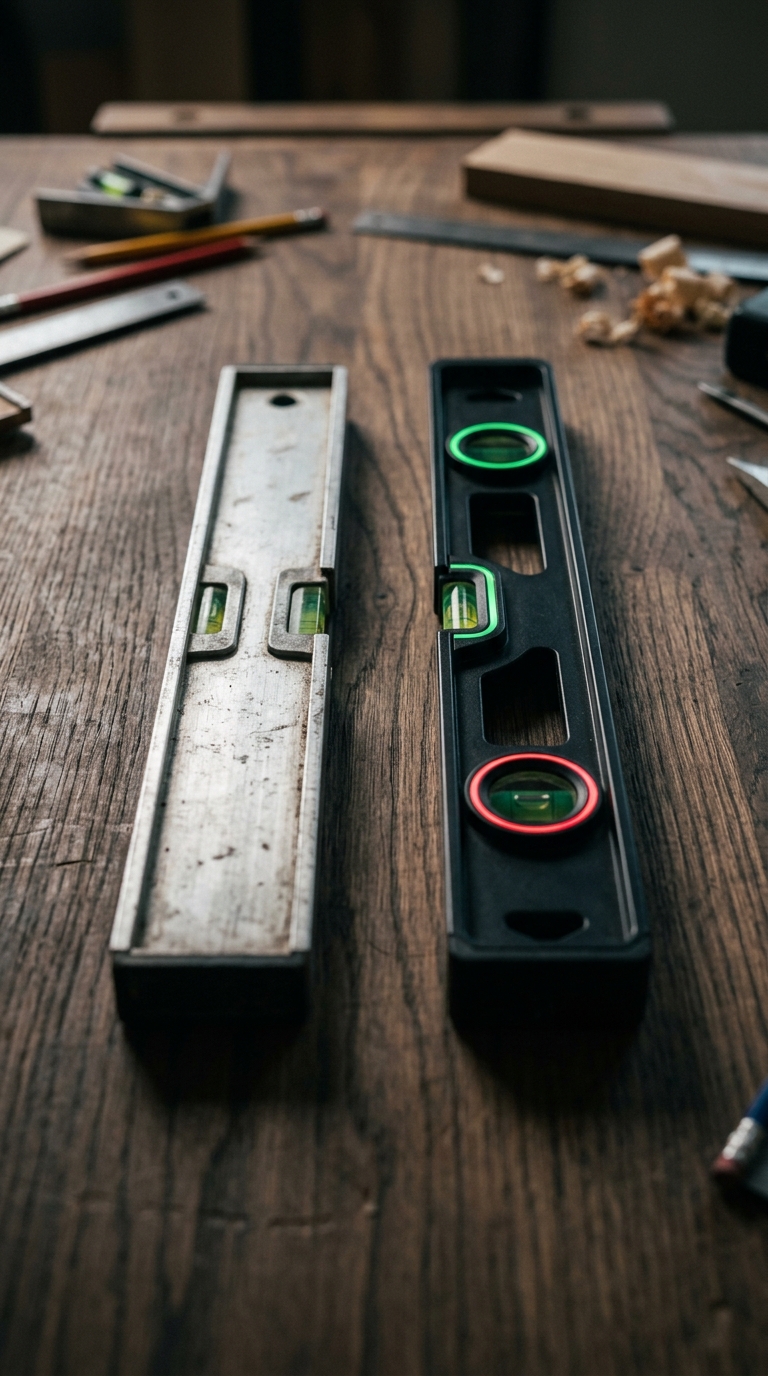
The fastest way to understand what separates these two tools is to compare them across features that matter in real use. Here's a category-by-category breakdown of the bubble level Google vs level app experience.
---
📐 Accuracy & Sensor Use
- Google Bubble Level: Uses your phone's built-in gyroscope through the browser, with no way to verify or correct sensor drift. Readings reflect raw hardware with no corrections applied.
- Dedicated Level App (e.g., LevelPro): Accesses the same gyroscope hardware but adds an intelligent calibration layer on top. LevelPro's 2-step calibration process compensates for manufacturing variance and accumulated sensor drift, delivering readings you can trust on a professional job.
Winner: Dedicated Level App — calibration is the difference between a measurement and a reliable measurement.
---
🔧 Calibration
- Google Bubble Level: None. There's no calibration option — what you get out of the box is all you get.
- LevelPro: Offers a structured 2-step calibration system that accounts for your specific device's sensor characteristics. If you've ever wondered how to calibrate your iPhone level tool for accurate results, this is exactly the kind of system that makes the difference.
Winner: Dedicated Level App — non-negotiable for professional accuracy.
---
📊 Measurement Modes
- Google Bubble Level: Single mode — a basic circular bubble indicator. One view, one use case.
- LevelPro: Two professional modes built for different tasks:
Winner: Dedicated Level App — versatility for real-world applications.
---
🎯 Target Angle & Custom Settings
- Google Bubble Level: No target angle support. You can only check for zero — perfectly flat or perfectly vertical.
- LevelPro: Includes a Target Angle mode that lets you set a specific angle and receive haptic and audio feedback when you hit it. Useful for setting roof pitches, camera tilts, or angled furniture legs.
Winner: Dedicated Level App — this feature alone covers an entirely different category of use cases.
---
📷 AR Camera Mode
- Google Bubble Level: No camera integration. The tool is entirely screen-based with a plain background.
- LevelPro: AR Camera mode overlays the level interface directly on your live camera feed, so you can see the actual surface you're measuring rather than a bubble on an abstract background.
Winner: Dedicated Level App — noticeably more useful in tight or complex spaces.
---
⌚ Companion Device Support
- Google Bubble Level: Phone only. No cross-device integration.
- LevelPro: Includes an Apple Watch companion that displays real-time level readings on your wrist, practical when your phone is flat on a surface you can't easily glance at.
Winner: Dedicated Level App — a genuinely useful feature for solo workers.
---
🔔 Feedback Mechanisms
- Google Bubble Level: Visual only. No haptic response, no audio cues.
- LevelPro: Combines visual feedback with subtle haptic and audio signals, so you know when you've hit level or your target angle without staring at the screen.
Winner: Dedicated Level App — especially useful in noisy or visually demanding environments.
---
💰 Cost
- Google Bubble Level: Free, no account required, works instantly in any Android browser.
- LevelPro: Subscription-based, but provides full access to every professional feature from day one.
Winner: Google Bubble Level — for pure cost-free convenience, it's hard to beat free.
---
📊 Quick Comparison Summary
| Feature | Google Bubble Level | LevelPro (Level App) |
|---|---|---|
| Calibration | ❌ None | ✅ 2-Step Intelligent |
| Measurement Modes | 1 (basic) | 2 (Bullseye + Tubular) |
| Target Angle Mode | ❌ | ✅ |
| AR Camera Overlay | ❌ | ✅ |
| Apple Watch Support | ❌ | ✅ |
| Haptic & Audio Feedback | ❌ | ✅ |
| Hold/Freeze Reading | ❌ | ✅ |
| Multiple Units | ❌ | ✅ |
| Cost | Free | Subscription |
For anyone exploring the difference between spirit level and bubble level apps more broadly, this table shows how wide the feature gap can grow once you move beyond basic tools — and why a purpose-built app consistently outperforms a browser-embedded utility for real work.
Pros & Cons: Bubble Level Google vs Level App — The Honest Breakdown
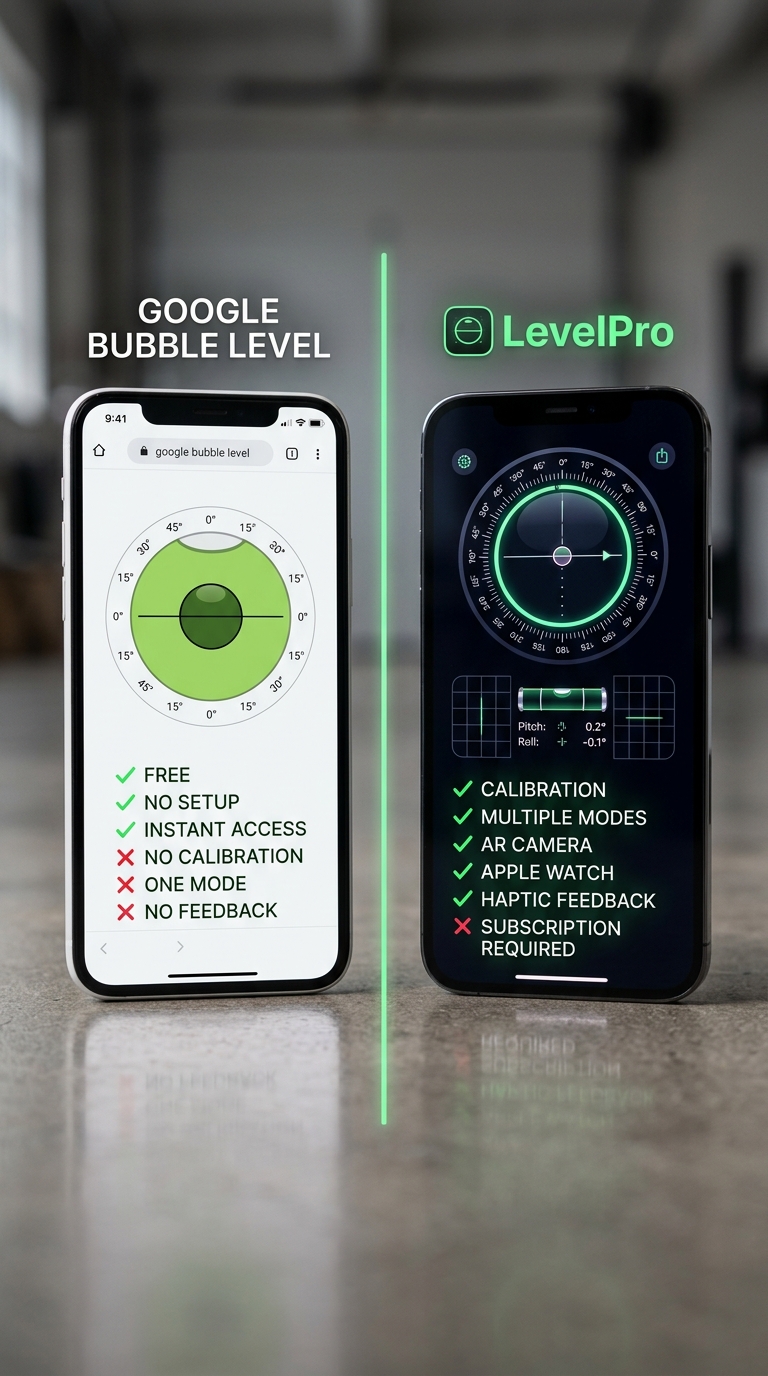
No tool is perfect for every situation, and that's true on both sides of the bubble level Google vs level app debate. Here's an honest look at the genuine strengths and real weaknesses of each option.
---
Google Bubble Level — Pros
- ✅ Zero friction to access — search, tap, done. No download, no account, no setup required.
- ✅ Completely free — no cost, no subscription, no ads interrupting your work.
- ✅ Works on any Android device with a browser and a gyroscope, no specific OS version needed.
- ✅ Adequate for casual tasks — checking if a TV stand wobbles, eyeballing a shelf, or confirming a surface isn't obviously tilted.
- ✅ No learning curve — if you can hold a phone, you can use it immediately.
---
Google Bubble Level — Cons
- ❌ No calibration — sensor drift and manufacturing variance go uncorrected, making readings potentially unreliable over time.
- ❌ Single measurement mode only — no tubular view for edges, no bullseye for multi-axis flat surfaces.
- ❌ No target angle setting — you can only check for perfectly level, not work toward a specific pitch or tilt.
- ❌ No haptic or audio feedback — you must watch the screen constantly, which is impractical in many working positions.
- ❌ Android-exclusive — iPhone users don't have access to this tool via Google Search.
- ❌ No AR camera overlay — the bubble floats against a plain background with no visual connection to the real surface you're measuring.
- ❌ Not suitable for professional or repeated precision work — for anyone doing regular precision leveling tasks like hanging shelves or mounting hardware, the lack of calibration alone is a meaningful limitation.
---
Dedicated Level App (e.g., LevelPro) — Pros
- ✅ Intelligent calibration — corrects for device-specific sensor drift, delivering measurements you can rely on.
- ✅ Multiple professional modes — Bullseye and Tubular views cover the full range of real-world leveling scenarios.
- ✅ Target Angle mode — set a specific angle and let haptic and audio cues guide you to it hands-free.
- ✅ AR Camera mode — see the actual surface beneath your device, not an abstract bubble on a blank screen.
- ✅ Apple Watch companion — check readings at a glance without crouching over your phone.
- ✅ Hold function — freeze a measurement when your working position makes it impossible to read in real time.
- ✅ Multi-unit support — switch between degrees, percent slope, and other units depending on your profession's standards.
- ✅ Built for iPhone and iPad — native performance rather than a browser approximation.
- ✅ Designed for professionals — architects, photographers, builders, and engineers get a tool built for their actual workflow.
---
Dedicated Level App (e.g., LevelPro) — Cons
- ❌ Requires a subscription — not a free-forever tool; ongoing access comes at a cost.
- ❌ Requires a download and setup — not as instantly frictionless as a browser search.
- ❌ Only available on iPhone and iPad — Android users need to look at platform-specific alternatives.
- ❌ Slight learning curve — with more features comes a brief onboarding period before you're using everything efficiently.
---
The Honest Summary
Google's bubble level wins on accessibility and cost — it's genuinely hard to beat something free that works in under three seconds. But its limitations are structural, not just cosmetic. Without calibration, it's a tool you hope is accurate rather than one you know is accurate.
A dedicated level app like LevelPro wins on every professional dimension that matters: accuracy, versatility, and real-world usability. The subscription cost is the only meaningful trade-off, and for anyone who uses a level regularly, that's a straightforward return on investment.
If you're still deciding which type of leveling solution fits your needs, it's worth understanding how accurate the iPhone's built-in level tool really is — because the baseline hardware is the same foundation both types of apps build on, and what happens above that layer is everything.
Final Verdict: Bubble Level Google vs Level App — Which One Should You Actually Use?
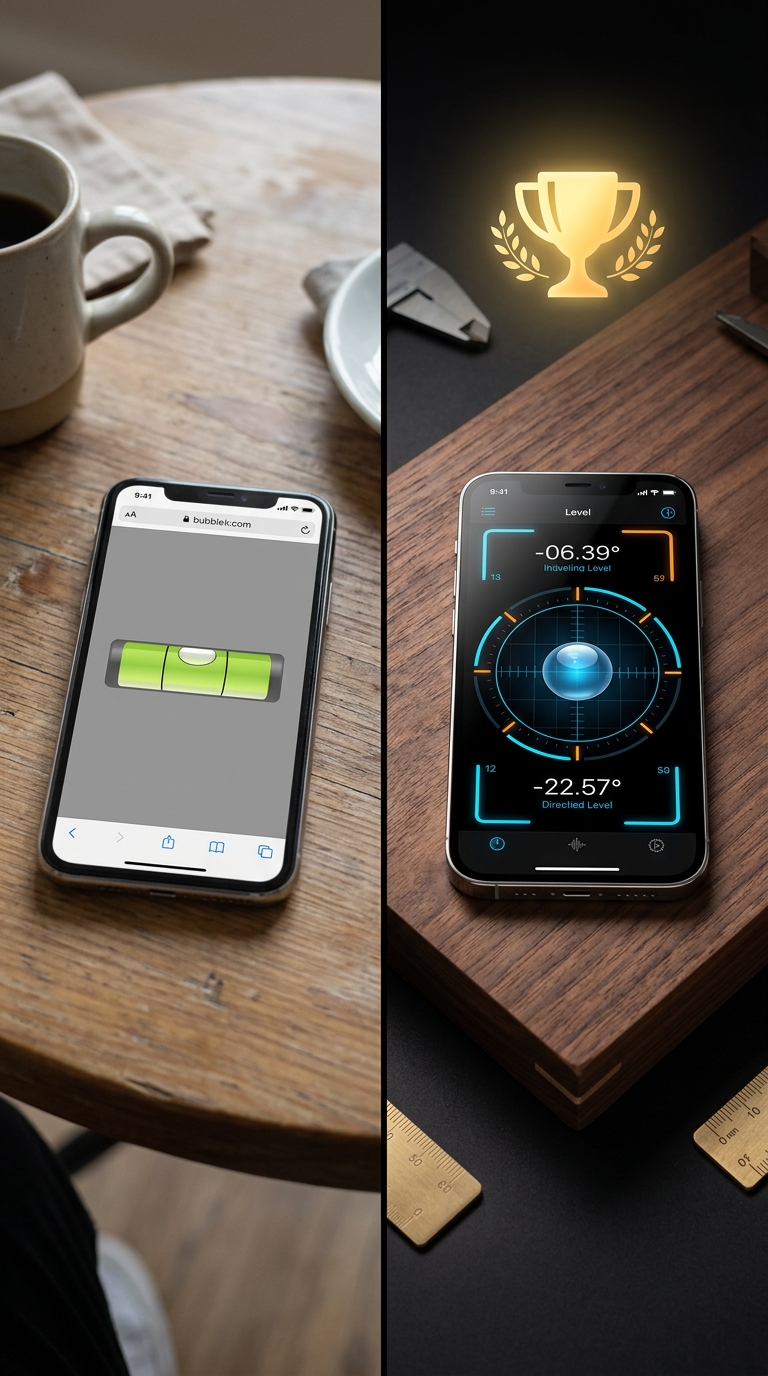
After comparing features, calibration, usability, and real-world performance, the verdict in the bubble level Google vs level app debate is clear — but it comes with a nuance worth spelling out.
---
When Google's Bubble Level Is the Right Call
If you're an Android user who needs a quick tilt check in the next thirty seconds and doesn't need high precision, Google's bubble level delivers exactly what it promises. It's free, frictionless, and available without leaving your browser. For genuinely low-stakes moments — eyeballing a TV, checking if a coffee table wobbles, confirming a rough surface angle — it's hard to argue against a tool that costs nothing and opens instantly.
Use Google's bubble level when:
- You need a one-off, rough-accuracy check
- You're on Android and don't have a level app installed
- The task has no professional or structural consequence
- Speed matters more than precision
---
When a Dedicated Level App Is the Logical Choice
For everything else, and especially for anything that matters, a dedicated level app like LevelPro is the measurably better instrument. The gap isn't just about features; it's about whether you can trust what you're reading. Without calibration, Google's level may be off by degrees you can't detect. With LevelPro's intelligent 2-step calibration, your reading reflects reality rather than sensor drift.
Choose a dedicated level app when:
- You're working on a professional or client-facing project
- Accuracy directly affects the quality of the finished result
- You need to measure a specific angle, not just check for flat
- You want hands-free feedback via haptics, audio, or Apple Watch
- You're using an iPhone or iPad, where Google's tool isn't available
- You need AR camera mode to visualize what you're actually measuring
---
The Bottom Line
Google's bubble level is a convenience feature, not a professional instrument. It's the digital equivalent of eyeballing a line — useful as a first approximation, but not something you'd stake a finished project on.
LevelPro is purpose-built for work that demands real precision. From architecture and photography to carpentry and interior design, it brings calibration, multiple modes, AR overlays, and wrist-based readings to every job, all inside a professional interface that treats leveling as the serious task it is.
Curious about how your iPhone's hardware performs as a base for precision measurement? It's worth reading how to use the bubble level on iPhone step by step to understand what the sensor is actually doing — and why the software built on top of it makes all the difference.
For anyone ready to go deeper, exploring the best bubble level app for iPhone in 2025 will show you how LevelPro stacks up against the broader field.
The choice is straightforward: if you're just passing by, Google works. If you're actually building something, use the right tool.
Meet LevelPro: The Professional Standard for iPhone & iPad
If Google's bubble level has left you wanting more, LevelPro is built for exactly that gap. Designed exclusively for iPhone and iPad, LevelPro offers two professional measurement modes — Bullseye for flat surfaces and Tubular for edges — paired with an intelligent 2-step calibration system that makes your readings genuinely trustworthy. AR Camera mode shows the real surface beneath your device, removing guesswork. Need to check an angle in a tight space? The Hold function freezes your reading so you can step back and record it. LevelPro also supports an Apple Watch companion for wrist-based real-time measurements, Target Angle mode with haptic and audio feedback, and multiple measurement units, all inside a dark design with neon accents. Available via subscription, it gives you full access to every feature from day one.
Try a Tool Built for Precision
If you've been relying on Google's bubble level for tasks that deserve better, it's worth trying something built with professionals in mind. Explore LevelPro on the App Store and see how a properly calibrated, feature-rich level app changes the way you work.
Frequently Asked Questions
What is the bubble level on Google?
Google's bubble level is a free tool built into Google Search on Android devices. Search 'bubble level' and an interactive level appears in your browser. It uses your phone's gyroscope to show tilt, but there's no calibration, no modes, and minimal accuracy controls.
Is Google's bubble level accurate enough for professional work?
For rough, casual checks — like hanging a picture frame — it's adequate. For professional tasks such as construction, photography, or architectural work, it lacks the calibration and precision that dedicated level apps provide.
What features do dedicated level apps have that Google's bubble level doesn't?
Dedicated level apps typically offer multi-step calibration, multiple modes (bullseye, tubular, angle), AR camera overlays, target angle locking, haptic and audio feedback, unit switching, and companion device support like Apple Watch — none of which Google's bubble level includes.
Does LevelPro work on both iPhone and iPad?
Yes. LevelPro is a premium digital spirit level designed for both iPhone and iPad, offering professional modes, AR camera view, Apple Watch integration, and intelligent calibration in a refined dark-theme interface.
Is there a free level app as good as Google's bubble level but more accurate?
Many free level apps offer better accuracy than Google's browser-based tool simply because they include basic calibration. Premium apps like LevelPro go further with professional-grade features that are worth the subscription for anyone doing regular precision work.
Can I use a level app with Apple Watch?
Yes — certain premium level apps, including LevelPro, include an Apple Watch companion that displays real-time level measurements directly on your wrist, which is especially useful when your phone is positioned on a surface you can't easily look at.